See Your
Whole Business
at a Glance
Stop manual entry. Start making decisions. Our real-time dashboard aggregates every invoice, bill, and bank move into one visual summary.
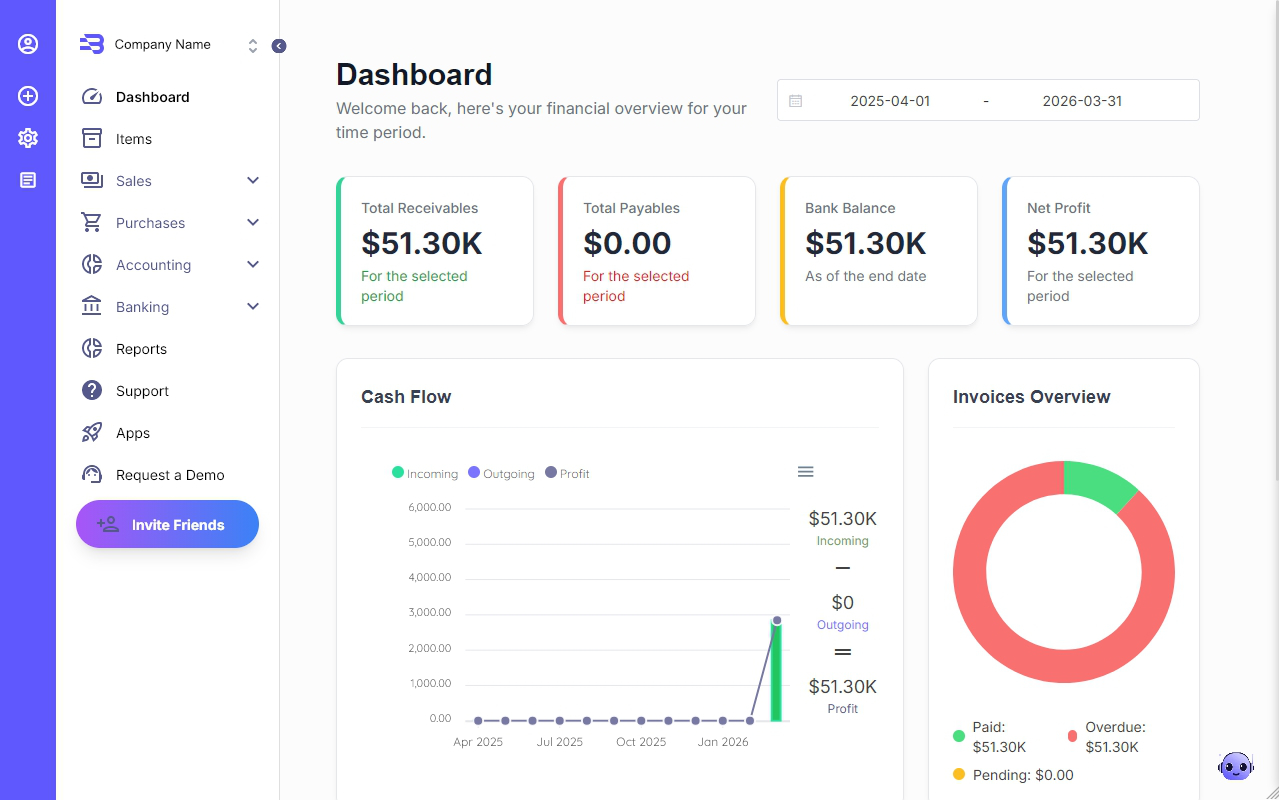
Real-Time Financial Overview
Stop digging through spreadsheets. Our header cards give you the four most critical numbers for any selected time period.
Total Receivables
Track exactly what your customers owe you.
Total Payables
Stay on top of your upcoming bills and vendor commitments.
Bank Balance
See your current liquid position across all linked accounts as of today.
Net Profit
Instantly understand your bottom line after all income and expenses are accounted for.
Visual Cash Flow Analysis
Understand the In and Out of your business with our simplified cash flow breakdown.
- •Incoming vs. Outgoing: A side-by-side comparison of your total collections versus your total spending.
- •Profit Calculation: Balnzed automatically subtracts your outgoings from your incomings to show your real-time profit margin.
Smart Invoices & Receivables Tracking
Monitor your sales pipeline without leaving the main page.
- •Invoices Overview: A color-coded summary showing your Paid, Overdue, and Pending invoice totals.
- •Recent Activity: A live feed of your latest transactions. View the Customer Name, Date, Amount, and Status (Draft, Paid, etc.) at a glance.
- •Quick Navigation: Click "View All" to jump straight into your full invoice list for deeper management.
Integrated Banking & Connected Accounts
The dashboard acts as a portal to your global finances:
- •Bank Accounts Section: View summarized balances for every account you’ve linked or created manually.
- •Instant Sync: Changes made on your mobile app or via automated bank feeds are reflected on the dashboard in real-time.
Why the Balnzed Dashboard Works for You
Time Efficiency
No more manual calculations; the system does the math for you.
Proactive Alerts
Identify overdue payments immediately so you can trigger automated reminders.
Data-Driven Decisions
Use the "selected period" filter to compare your performance month-over-month or year-over-year.
Frequently Asked Questions
How often is the dashboard updated?
Instantly. Every time you record a payment, scan a bill, or sync your bank, the dashboard reflects the new data immediately without requiring manual refreshes.
Can I change the time period for the overview?
Yes! You can filter the entire dashboard to show financial data for today, this week, this month, this quarter, or any custom range you require.